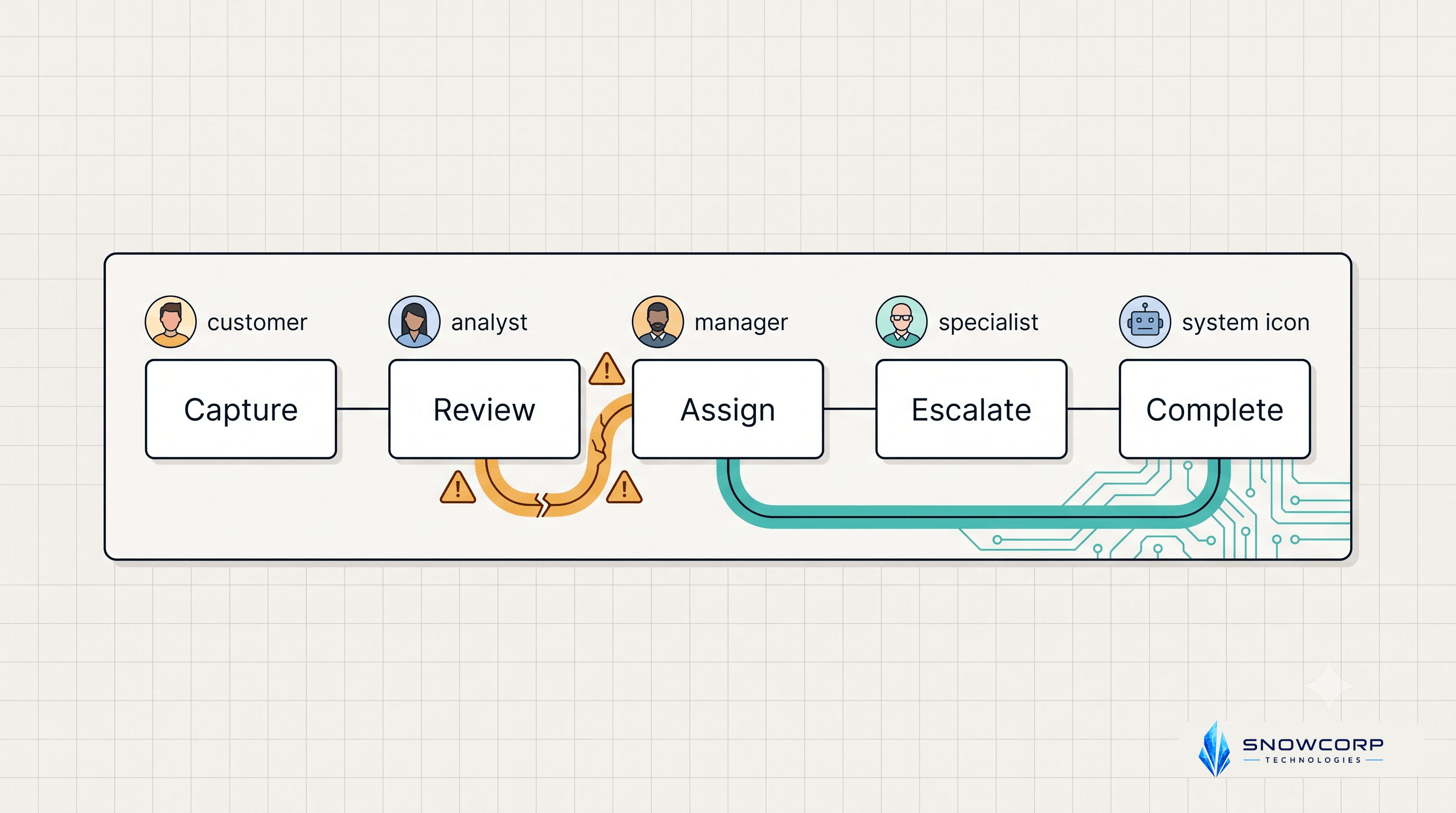
The Handoff Problem: Why Automations Fail When Teams Don’t Define Ownership
Posted on August 3, 2026 • 5 minutes • 956 words
Business owners often think automation fails because of the tool. In practice, most failures start much earlier: the team never agreed on who owns each step, who approves exceptions, or what should happen when the process breaks.
That creates a hidden handoff problem. A workflow may look simple on a whiteboard, but once leads, invoices, support requests, hiring updates, or customer onboarding tasks move between people and systems, unclear ownership quickly turns into delays, duplicate work, and missed follow-ups.
If you automate that kind of messy process too early, the software only makes the confusion run faster.
Why handoffs break automation
A handoff is the moment responsibility moves from one person, team, or system to another. This is where many business processes become unreliable.
For example:
- A lead is captured by a form, but sales does not know who should respond first.
- An invoice is generated, but finance is not told which cases need manual review.
- A support request is tagged urgent, but nobody owns after-hours escalation.
- A hiring workflow moves from sourcing to interview scheduling, but candidate status is not updated consistently.
The automation itself may work exactly as designed. The real problem is that the process behind it was never fully defined.
Signs your workflow has an ownership gap
Before you build or improve an automation, check for these warning signs:
- Tasks sit in a queue until someone notices them.
- Team members ask in chat, “Who is handling this?”
- Exceptions are resolved differently every time.
- Customers need to repeat information across steps.
- Reports show completed tasks, but nobody can confirm accountability.
- Multiple tools send notifications, yet action still depends on manual follow-up.
When these signs appear, the issue is rarely “we need more automation.” The issue is that the workflow needs clearer ownership rules.
The 5 ownership rules to define first
1. Define a single owner for each stage
Every stage in the workflow should have one directly responsible owner. That can be a person, role, or team, but it must be unambiguous.
Good example: “New inbound leads are owned by SDRs until qualified.”
Weak example: “Sales team handles new leads.”
The second version sounds fine, but it leaves room for delay because nobody knows exactly who should act first.
2. Define the trigger for handoff
A stage should not move forward because someone “feels it is ready.” It should move when a specific event happens.
Examples of usable triggers:
- Form submitted and validated.
- Quote approved.
- Payment received.
- Document uploaded.
- Task marked blocked for more than 24 hours.
Clear triggers make automation dependable because the system knows exactly when to act.
3. Define what happens on exceptions
Most workflows are designed for ideal cases. Real businesses run on exceptions.
You need rules for:
- Missing data.
- Duplicate requests.
- Out-of-hours submissions.
- Approval delays.
- Customer replies that do not match the expected step.
If exceptions are undefined, your team will fall back to ad hoc chat messages and manual cleanup.
4. Define the service-level expectation
Ownership also means time commitment. If a lead should be contacted within 15 minutes or an approval should be reviewed within 4 hours, write it down.
This turns a vague process into an operational standard. It also lets you build reminders, escalation rules, and dashboards that track real performance.
5. Define the fallback path
When the default owner is unavailable, blocked, or overloaded, the workflow needs a backup path.
That could mean:
- Reassigning to another team member.
- Escalating to a manager.
- Moving the item into a review queue.
- Sending a manual intervention alert.
Without a fallback path, your automation is fragile. It works only when everything goes right.
A simple framework you can document in one page
Before building any automation, create a one-page workflow sheet with these fields:
- Workflow name
- Start trigger
- Stages
- Owner for each stage
- Handoff condition for each stage
- Exception cases
- SLA or expected turnaround time
- Escalation path
- Success metric
For example, a lead response workflow may look like this:
- Trigger: Website form submitted.
- Stage 1 owner: CRM automation validates and enriches the lead.
- Stage 2 owner: SDR responds within 15 minutes if lead score is above threshold.
- Exception: Missing phone number goes to manual review queue.
- Escalation: If no response after 15 minutes, notify sales manager.
- Success metric: First response time and qualified meeting rate.
This level of clarity makes automation easier to implement and much easier to maintain.
Where businesses usually go wrong
Many teams jump straight to tools. They discuss platforms, integrations, AI agents, dashboards, and notification flows before agreeing on the operating model.
That leads to three common mistakes:
- Automating status changes nobody trusts.
- Routing work to teams without capacity planning.
- Building alerts that notify people but do not assign accountability.
The result is not true automation. It is a noisy system wrapped around an unclear process.
What better automation actually looks like
Strong automation is not just about reducing clicks. It creates clarity.
A well-designed workflow should answer these questions at any moment:
- What stage is this item in?
- Who owns it right now?
- What triggered the current state?
- What happens if the next action does not happen on time?
- Where should exceptions go?
When your process can answer those questions, automation becomes much more reliable. You can build reminders, escalations, dashboards, and AI-assisted actions on top of a structure that already makes sense.
Final thought
If your team is missing follow-ups, duplicating work, or relying on chat threads to move tasks forward, do not start by adding another tool.
Start by fixing the handoffs.
Ownership, triggers, exception rules, and fallback paths are what make automation usable in the real world. Once those are defined, the software becomes an amplifier of a good process instead of a faster version of a broken one.